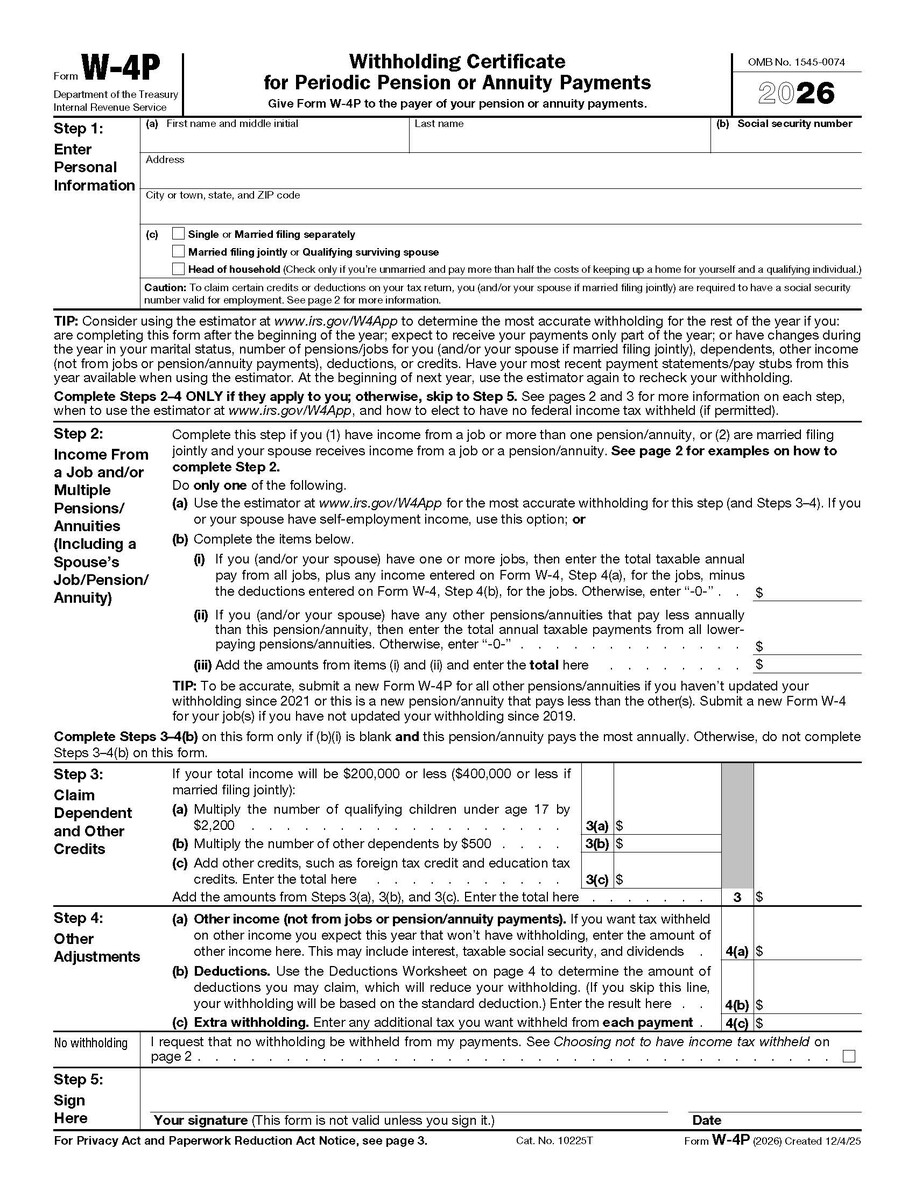
This page provides additional information and resources for Federal Form W-4P. IPERS staff is prohibited from providing tax advice. Contact the Internal Revenue Service (IRS) or your tax professional with questions about the taxability of your benefits and the completion of any tax-related forms.
All IPERS retirees complete a Form W-4P as part of their retirement application but can change withholdings at any time. Download the Form W-4P (126.85 KB) Archived .pdf or access the form via the IRS’ website. Please submit a new Form W-4P each time you need to adjust your federal income tax withholding.
Withholdings
IPERS will not implement a Form W-4P unless it is properly completed and received before benefit payments occur. IPERS will use the default rate for withholdings for anyone who does not complete the form, or whose form cannot be processed as part of the retirement application.
- Default Withholding: Your default federal income tax withholding rate for benefit payments is single with 0 (zero) adjustments.
- Changing from the Default Withholding: Use the W-4P to change your federal income tax withholding and/or to set an additional amount to be withheld from your benefit payments.
- Multiple Benefit Payments: If you receive multiple benefit payments from IPERS, write a note in the top margin of the Form W4-P to specify which benefit(s) the Form W-4P applies to.
Form W4-P guidelines
The information below can be used as a guide for completing Federal Form W-4P.